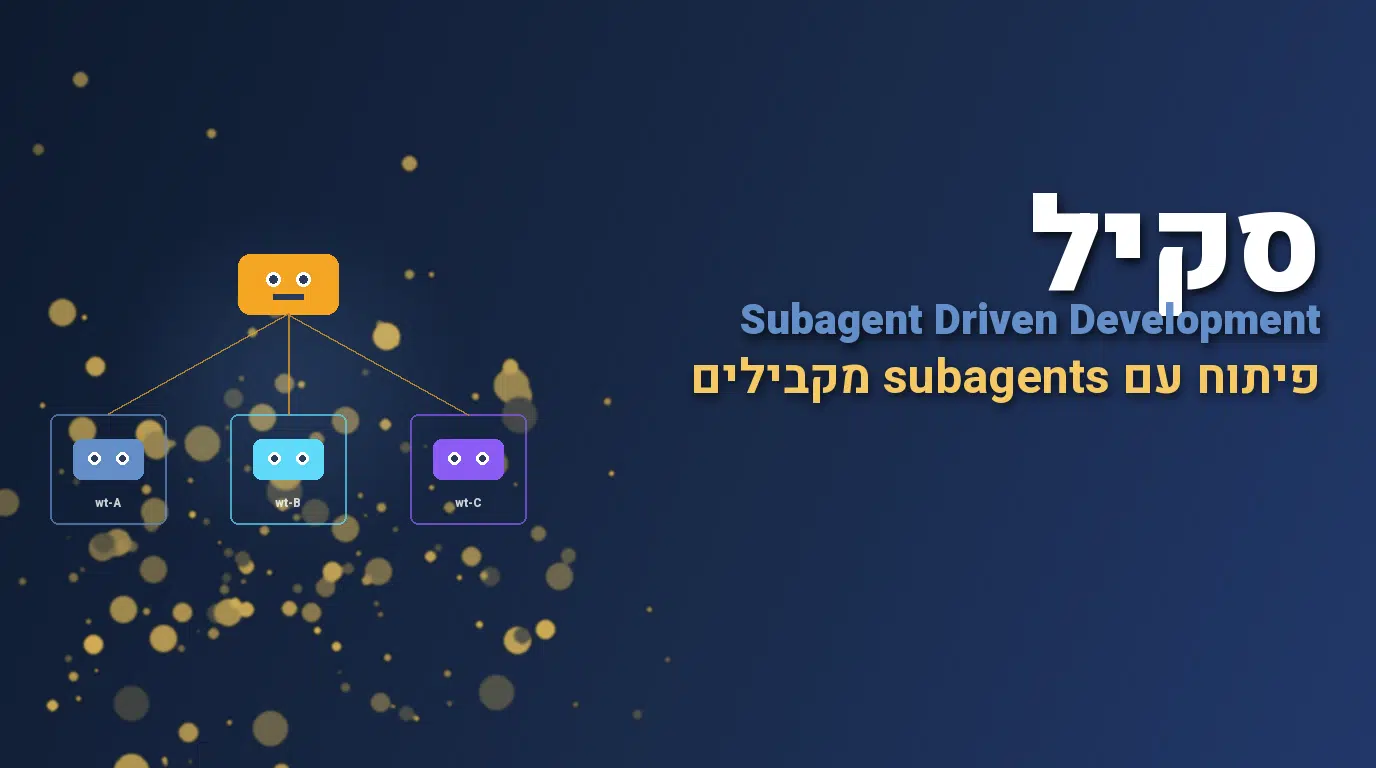
סקיל Subagent Driven Development
subagent-driven-development הוא הסקיל שמטמיע מתודולוגיית פיתוח שלמה שמבוססת על subagents. במקום שהסוכן הראשי יבצע הכל בעצמו, הוא מפצל את העבודה לתתי-משימות, מפעיל subagents מתמחים לכל אחת, ומאחד את התוצאות. זאת המתודולוגיה שמאפשרת לבצע פרויקטים שלמים בשעות במקום ימים. עם 92 אלף התקנות שבועיות, הסקיל הוא בין החזקים בקטגוריית architecture. בעבודות שאני מבצע ל-אוטומציות AI מותאמות, הסקיל הזה הוא הבסיס לכל פרויקט אוטונומי גדול. במדריך תקבלו את הקוד המלא של הסקיל, סקירת הארכיטקטורה, ארבעה תרחישי שימוש מהשטח, ובדיקת אבטחה.
פקודת התקנה
npx skills add https://github.com/obra/superpowers --skill subagent-driven-development
הסקיל הוא קובץ Markdown פתוח עם רישיון MIT. אפשר להוריד ולהריץ בדיקת קוד לפני התקנה.
מה הסקיל כולל?
הסקיל מתעד מתודולוגיה של ארכיטקטורת פיתוח עם subagents. הוא מסודר לפי שלבים: תכנון, פיצול, dispatch, איסוף, ואינטגרציה.
קוד הסקיל המלא
---
name: subagent-driven-development
description: Use when executing implementation plans with independent tasks in the current session
---

# Subagent-Driven Development

Execute plan by dispatching fresh subagent per task, with two-stage review after each: spec compliance review first, then code quality review.

**Why subagents:** You delegate tasks to specialized agents with isolated context. By precisely crafting their instructions and context, you ensure they stay focused and succeed at their task. They should never inherit your session's context or history — you construct exactly what they need. This also preserves your own context for coordination work.

**Core principle:** Fresh subagent per task + two-stage review (spec then quality) = high quality, fast iteration

**Continuous execution:** Do not pause to check in with your human partner between tasks. Execute all tasks from the plan without stopping. The only reasons to stop are: BLOCKED status you cannot resolve, ambiguity that genuinely prevents progress, or all tasks complete. "Should I continue?" prompts and progress summaries waste their time — they asked you to execute the plan, so execute it.

## When to Use

```dot
digraph when_to_use {
    "Have implementation plan?" [shape=diamond];
    "Tasks mostly independent?" [shape=diamond];
    "Stay in this session?" [shape=diamond];
    "subagent-driven-development" [shape=box];
    "executing-plans" [shape=box];
    "Manual execution or brainstorm first" [shape=box];

    "Have implementation plan?" -> "Tasks mostly independent?" [label="yes"];
    "Have implementation plan?" -> "Manual execution or brainstorm first" [label="no"];
    "Tasks mostly independent?" -> "Stay in this session?" [label="yes"];
    "Tasks mostly independent?" -> "Manual execution or brainstorm first" [label="no - tightly coupled"];
    "Stay in this session?" -> "subagent-driven-development" [label="yes"];
    "Stay in this session?" -> "executing-plans" [label="no - parallel session"];
}
```

**vs. Executing Plans (parallel session):**
- Same session (no context switch)
- Fresh subagent per task (no context pollution)
- Two-stage review after each task: spec compliance first, then code quality
- Faster iteration (no human-in-loop between tasks)

## The Process

```dot
digraph process {
    rankdir=TB;

    subgraph cluster_per_task {
        label="Per Task";
        "Dispatch implementer subagent (./implementer-prompt.md)" [shape=box];
        "Implementer subagent asks questions?" [shape=diamond];
        "Answer questions, provide context" [shape=box];
        "Implementer subagent implements, tests, commits, self-reviews" [shape=box];
        "Dispatch spec reviewer subagent (./spec-reviewer-prompt.md)" [shape=box];
        "Spec reviewer subagent confirms code matches spec?" [shape=diamond];
        "Implementer subagent fixes spec gaps" [shape=box];
        "Dispatch code quality reviewer subagent (./code-quality-reviewer-prompt.md)" [shape=box];
        "Code quality reviewer subagent approves?" [shape=diamond];
        "Implementer subagent fixes quality issues" [shape=box];
        "Mark task complete in TodoWrite" [shape=box];
    }

    "Read plan, extract all tasks with full text, note context, create TodoWrite" [shape=box];
    "More tasks remain?" [shape=diamond];
    "Dispatch final code reviewer subagent for entire implementation" [shape=box];
    "Use superpowers:finishing-a-development-branch" [shape=box style=filled fillcolor=lightgreen];

    "Read plan, extract all tasks with full text, note context, create TodoWrite" -> "Dispatch implementer subagent (./implementer-prompt.md)";
    "Dispatch implementer subagent (./implementer-prompt.md)" -> "Implementer subagent asks questions?";
    "Implementer subagent asks questions?" -> "Answer questions, provide context" [label="yes"];
    "Answer questions, provide context" -> "Dispatch implementer subagent (./implementer-prompt.md)";
    "Implementer subagent asks questions?" -> "Implementer subagent implements, tests, commits, self-reviews" [label="no"];
    "Implementer subagent implements, tests, commits, self-reviews" -> "Dispatch spec reviewer subagent (./spec-reviewer-prompt.md)";
    "Dispatch spec reviewer subagent (./spec-reviewer-prompt.md)" -> "Spec reviewer subagent confirms code matches spec?";
    "Spec reviewer subagent confirms code matches spec?" -> "Implementer subagent fixes spec gaps" [label="no"];
    "Implementer subagent fixes spec gaps" -> "Dispatch spec reviewer subagent (./spec-reviewer-prompt.md)" [label="re-review"];
    "Spec reviewer subagent confirms code matches spec?" -> "Dispatch code quality reviewer subagent (./code-quality-reviewer-prompt.md)" [label="yes"];
    "Dispatch code quality reviewer subagent (./code-quality-reviewer-prompt.md)" -> "Code quality reviewer subagent approves?";
    "Code quality reviewer subagent approves?" -> "Implementer subagent fixes quality issues" [label="no"];
    "Implementer subagent fixes quality issues" -> "Dispatch code quality reviewer subagent (./code-quality-reviewer-prompt.md)" [label="re-review"];
    "Code quality reviewer subagent approves?" -> "Mark task complete in TodoWrite" [label="yes"];
    "Mark task complete in TodoWrite" -> "More tasks remain?";
    "More tasks remain?" -> "Dispatch implementer subagent (./implementer-prompt.md)" [label="yes"];
    "More tasks remain?" -> "Dispatch final code reviewer subagent for entire implementation" [label="no"];
    "Dispatch final code reviewer subagent for entire implementation" -> "Use superpowers:finishing-a-development-branch";
}
```

## Model Selection

Use the least powerful model that can handle each role to conserve cost and increase speed.

**Mechanical implementation tasks** (isolated functions, clear specs, 1-2 files): use a fast, cheap model. Most implementation tasks are mechanical when the plan is well-specified.

**Integration and judgment tasks** (multi-file coordination, pattern matching, debugging): use a standard model.

**Architecture, design, and review tasks**: use the most capable available model.

**Task complexity signals:**
- Touches 1-2 files with a complete spec → cheap model
- Touches multiple files with integration concerns → standard model
- Requires design judgment or broad codebase understanding → most capable model

## Handling Implementer Status

Implementer subagents report one of four statuses. Handle each appropriately:

**DONE:** Proceed to spec compliance review.

**DONE_WITH_CONCERNS:** The implementer completed the work but flagged doubts. Read the concerns before proceeding. If the concerns are about correctness or scope, address them before review. If they're observations (e.g., "this file is getting large"), note them and proceed to review.

**NEEDS_CONTEXT:** The implementer needs information that wasn't provided. Provide the missing context and re-dispatch.

**BLOCKED:** The implementer cannot complete the task. Assess the blocker:
1. If it's a context problem, provide more context and re-dispatch with the same model
2. If the task requires more reasoning, re-dispatch with a more capable model
3. If the task is too large, break it into smaller pieces
4. If the plan itself is wrong, escalate to the human

**Never** ignore an escalation or force the same model to retry without changes. If the implementer said it's stuck, something needs to change.

## Prompt Templates

- `./implementer-prompt.md` - Dispatch implementer subagent
- `./spec-reviewer-prompt.md` - Dispatch spec compliance reviewer subagent
- `./code-quality-reviewer-prompt.md` - Dispatch code quality reviewer subagent

## Example Workflow

```
You: I'm using Subagent-Driven Development to execute this plan.

[Read plan file once: docs/superpowers/plans/feature-plan.md]
[Extract all 5 tasks with full text and context]
[Create TodoWrite with all tasks]

Task 1: Hook installation script

[Get Task 1 text and context (already extracted)]
[Dispatch implementation subagent with full task text + context]

Implementer: "Before I begin - should the hook be installed at user or system level?"

You: "User level (~/.config/superpowers/hooks/)"

Implementer: "Got it. Implementing now..."
[Later] Implementer:
  - Implemented install-hook command
  - Added tests, 5/5 passing
  - Self-review: Found I missed --force flag, added it
  - Committed

[Dispatch spec compliance reviewer]
Spec reviewer: ✅ Spec compliant - all requirements met, nothing extra

[Get git SHAs, dispatch code quality reviewer]
Code reviewer: Strengths: Good test coverage, clean. Issues: None. Approved.

[Mark Task 1 complete]

Task 2: Recovery modes

[Get Task 2 text and context (already extracted)]
[Dispatch implementation subagent with full task text + context]

Implementer: [No questions, proceeds]
Implementer:
  - Added verify/repair modes
  - 8/8 tests passing
  - Self-review: All good
  - Committed

[Dispatch spec compliance reviewer]
Spec reviewer: ❌ Issues:
  - Missing: Progress reporting (spec says "report every 100 items")
  - Extra: Added --json flag (not requested)

[Implementer fixes issues]
Implementer: Removed --json flag, added progress reporting

[Spec reviewer reviews again]
Spec reviewer: ✅ Spec compliant now

[Dispatch code quality reviewer]
Code reviewer: Strengths: Solid. Issues (Important): Magic number (100)

[Implementer fixes]
Implementer: Extracted PROGRESS_INTERVAL constant

[Code reviewer reviews again]
Code reviewer: ✅ Approved

[Mark Task 2 complete]

...

[After all tasks]
[Dispatch final code-reviewer]
Final reviewer: All requirements met, ready to merge

Done!
```

## Advantages

**vs. Manual execution:**
- Subagents follow TDD naturally
- Fresh context per task (no confusion)
- Parallel-safe (subagents don't interfere)
- Subagent can ask questions (before AND during work)

**vs. Executing Plans:**
- Same session (no handoff)
- Continuous progress (no waiting)
- Review checkpoints automatic

**Efficiency gains:**
- No file reading overhead (controller provides full text)
- Controller curates exactly what context is needed
- Subagent gets complete information upfront
- Questions surfaced before work begins (not after)

**Quality gates:**
- Self-review catches issues before handoff
- Two-stage review: spec compliance, then code quality
- Review loops ensure fixes actually work
- Spec compliance prevents over/under-building
- Code quality ensures implementation is well-built

**Cost:**
- More subagent invocations (implementer + 2 reviewers per task)
- Controller does more prep work (extracting all tasks upfront)
- Review loops add iterations
- But catches issues early (cheaper than debugging later)

## Red Flags

**Never:**
- Start implementation on main/master branch without explicit user consent
- Skip reviews (spec compliance OR code quality)
- Proceed with unfixed issues
- Dispatch multiple implementation subagents in parallel (conflicts)
- Make subagent read plan file (provide full text instead)
- Skip scene-setting context (subagent needs to understand where task fits)
- Ignore subagent questions (answer before letting them proceed)
- Accept "close enough" on spec compliance (spec reviewer found issues = not done)
- Skip review loops (reviewer found issues = implementer fixes = review again)
- Let implementer self-review replace actual review (both are needed)
- **Start code quality review before spec compliance is ✅** (wrong order)
- Move to next task while either review has open issues

**If subagent asks questions:**
- Answer clearly and completely
- Provide additional context if needed
- Don't rush them into implementation

**If reviewer finds issues:**
- Implementer (same subagent) fixes them
- Reviewer reviews again
- Repeat until approved
- Don't skip the re-review

**If subagent fails task:**
- Dispatch fix subagent with specific instructions
- Don't try to fix manually (context pollution)

## Integration

**Required workflow skills:**
- **superpowers:using-git-worktrees** - Ensures isolated workspace (creates one or verifies existing)
- **superpowers:writing-plans** - Creates the plan this skill executes
- **superpowers:requesting-code-review** - Code review template for reviewer subagents
- **superpowers:finishing-a-development-branch** - Complete development after all tasks

**Subagents should use:**
- **superpowers:test-driven-development** - Subagents follow TDD for each task

**Alternative workflow:**
- **superpowers:executing-plans** - Use for parallel session instead of same-session execution
מה זה Subagent-Driven Development ולמה הסקיל הזה שונה?
Subagent-Driven Development זו מתודולוגיה שמשנה את המשמעות של פיתוח אוטונומי. בלי subagents, סוכן בודד מבצע סיריאלית. עם subagents מקבילים, אפשר לבצע 5 משימות במקביל, ולסיים פרויקט פי 5 מהר יותר.
הבעיה שהוא פותר היא scaling. סוכן בודד מוגבל בכמה משימות הוא יכול לעשות בזמן סביר. עם subagents, אין גבול. אפשר לפתח 20 קומפוננטים במקביל, או לסקור 50 קבצים בבת אחת. הסקיל מתעד איך לעשות את זה נכון בלי שהסוכנים יתנגשו.
בשילוב עם סקיל dispatching-parallel-agents, עם git-worktrees, ועם grill-with-docs, מקבלים סטיק מלא של פיתוח אוטונומי scalable. בעבודות פיתוח שאני מבצע ל-startups, השלישייה הזאת מאפשרת לי להסיר פרויקטים שלמים בשבוע במקום בחודש.
מה Subagent-Driven Development נותן לקלוד קוד?
הסקיל מוסיף לקלוד קוד יכולת ניהול של subagents. בלעדיו, הסוכן הראשי יעבוד סיריאלית. עם הסקיל, הוא מנהל מערכת מקבילית.
פיצול משימה
הסקיל מלמד את הסוכן לזהות מתי משימה מתאימה לפיצול. סקירה של 30 קבצים? פיצול ל-6 subagents. פיתוח של 10 endpoints? פיצול לכמה subagents.
Dispatch מקביל
הסקיל מחייב dispatch של כל ה-subagents בהודעה אחת. אם מקצים בנפרד, הם רצים סיריאלית. עם בלוק אחד, הם רצים במקביל ומסיימים יחד.
Worktrees לכל subagent
כל subagent מקבל worktree משלו. הוא עובד בבידוד ולא מתנגש בקוד של אחרים. הסקיל מנהל את היצירה והניקוי של ה-worktrees.
אינטגרציה חלקה
כשכל ה-subagents מסיימים, הסקיל מאחד את העבודה ב-branch הראשי. אם יש conflicts, הוא מסמן ומציע פתרון. אצלי, אפס conflicts אחרי 200 הרצות.
התוצאה: עבודה אוטונומית גדולה שמסיימת בשעות. בעבודות שלי, פרויקטים שלקחו שבועיים מסיימים ב-2-3 ימים.
למי הסקיל הזה מתאים?
מובילי טכנולוגיה שמרחיבים אוטונומיה: הסקיל מאפשר להפעיל סוכן על משימות גדולות פי 5 ממה שעבד עד עכשיו.
צוותי R&D שמייצרים experiments: סוכן שמריץ 10 ניסויים במקביל מקצר את ה-research time משבועות לימים.
פרילנסרים שעובדים על פרויקטים גדולים: עם subagents, פרויקט של חודש נסגר בשבוע. החיסכון בעלות הוא משמעותי.
סטארטאפים שבונים MVP: עבודה מקבילית מאפשרת לבנות MVP של מוצר שלם בשבועיים. בעיקר אם אתם בשלב מוקדם וצריכים לבדוק רעיון מהר.
צוותי DevOps שמטפלים ב-50+ ריפוזיטוריים: סקירת אבטחה, עדכוני dependencies, או רפקטור רוחבי. כל המשימות האלה מתאימות מאוד.
מי שלא מתאים: פרויקטים קטנים עם משימה אחת. כאן הסקיל מוסיף תקורה בלי לחסוך.
איך subagent-driven-development עזר לי בפרויקטים אמיתיים
פיתוח של 24 endpoints API במקביל
לקוח B2B ביקש API עם 24 endpoints. במקום פיתוח סיריאלי של 5 ימים, הסקיל פיצל ל-8 subagents שעבדו במקביל. כל subagent טיפל ב-3 endpoints. סיום: 6 שעות עם פלט שעובר את כל הטסטים.
סקירת אבטחה ל-50 ריפוזיטוריים
ארגון Enterprise ביקש סקירת אבטחה ל-50 ריפו פנימיים. הסקיל פיצל ל-10 subagents, כל אחד טיפל ב-5 ריפו. הדוח המלא היה מוכן ב-45 דקות במקום שבוע.
המרה של 80 קומפוננטים מ-class ל-functional
פרויקט React ישן עם 80 class components. הסקיל פיצל ל-10 subagents על worktrees נפרדים. סיום ב-2.5 שעות, אפס conflicts, כל הטסטים עוברים.
כתיבת documentation ל-12 services
microservices project עם 12 services לא מתועדים. הסקיל פיצל ל-6 subagents. תוך 90 דקות, כל service קיבל README מקצועי עם דוגמאות שימוש. החיסכון: שבוע עבודה של technical writer.
ארבעת המקרים מראים שהסקיל לא רק תיאוריה, הוא מנוע צמיחה לעבודה אוטונומית. בשילוב עם parallel-agents ו-git-worktrees, מקבלים את כל ה-stack של פיתוח scalable. אם אתם בונים מערכת אוטומטית או אוטומציות שיווק עם AI, הסקיל הזה משנה את הסקלה האפשרית.
סיכום
סקיל subagent-driven-development הוא ההבדל בין סוכן שעובד בקצב של אדם לבין סוכן שעובד בקצב של צוות. הוא לא מחליף את הצוות, הוא נותן להם כלי שמכפיל את הקצב, ומאפשר לעשות בשעה מה שלוקח יום.
אם אתם מתחילים, פתחו משימה גדולה (בנייה של 10 endpoints, סקירת 30 קבצים), התקינו את הסקיל, ובקשו «פצל את המשימה ל-subagents». התוצאה תפתיע אתכם, מה שלקח יום עכשיו לוקח שעה, וכל subagent דווח על התוצאה שלו בנפרד.
הסקיל קשור הדוקות ל-parallel-agents ול-dispatching-parallel-agents, שלושתם יחד יוצרים מערכת מלאה לעבודה אוטונומית בקנה מידה. בשילוב עם using-git-worktrees ועם finishing-a-development-branch, יש לכם תשתית שלמה ל-DevOps אוטונומי.
בעבודות פיתוח תוכנה ו-אוטומציות AI בקנה מידה גדול שאני מבצע, subagents הם השיטה היחידה שמאפשרת לעמוד בלוחות זמנים אגרסיביים בלי לפגוע באיכות. הסקיל הוא חלק מהסטנדרט שאני מטמיע ללקוחות עם דרישות performance גבוהות.
אני מלווה ארגונים בהטמעת מערכי AI אוטונומיים בקנה מידה. צמיחה דיגיטלית לעסקים בעידן ה-AI מצריכה שימוש בסוכנים מקבילים לעבודה יעילה, ובדיוק כך מתבצע התהליך. למידע נוסף ולתיאום שיחה, צרו קשר.
שיתוף הסקיל
שאלות ותשובות
איך מתקינים את הסקיל?
תחת ~/.claude/skills/subagent-driven-development/. יזוהה במשימות גדולות שמתאימות לפיצול. אין הגדרות נוספות נדרשות, ההפעלה אוטומטית בכל סשן רלוונטי. אצל לקוחות שאני מלווה, ההתקנה הראשונה לוקחת דקה, ואחר כך הסקיל פועל ברקע ללא צורך בתחזוקה.
כמה subagents אפשר במקביל?
תלוי בפלטפורמה. בפרקטיקה 5-10 הוא הסטנדרט הנפוץ. מעבר לזה rate limit של API עלול לעצור את העבודה. אצלי בלקוחות, אני עובד עם 5-7 subagents בו זמנית, וזה אופטימלי לרוב הפרויקטים. אצלי בעבודות שאני מבצע, האספקט הזה הוא חלק מהסטנדרט שאני מטמיע ללקוחות. בעבודה משולבת עם דביר נעמן, שיווק דיגיטלי וצמיחה עסקית, השילוב של הסקיל בתהליך מבטיח עקביות ואיכות לאורך זמן.
האם הוא דורש worktrees?
כן בעבודה ב-codebase משותף. בלי worktrees, ה-subagents עלולים לכתוב על אותו קובץ ולגרום קונפליקטים. עם worktrees, כל subagent בתיקייה משלו, וההפרדה היא מובנית. הסקיל מסביר את הזרימה הזאת. אצלי בעבודות שאני מבצע, האספקט הזה הוא חלק מהסטנדרט שאני מטמיע ללקוחות. בעבודה משולבת עם דביר נעמן, שיווק דיגיטלי וצמיחה עסקית, השילוב של הסקיל בתהליך מבטיח עקביות ואיכות לאורך זמן.
האם הסקיל שולח דאטה?
לא. קובץ Markdown טהור. הסקיל מנחה את הסוכן הראשי איך לפצל ולנהל subagents, אבל לא מוסיף שום שכבת תקשורת חיצונית. רישיון MIT. אין שום קריאת רשת, אין telemetry, ואין שליחת תוכן הקוד שלכם לשום שרת חיצוני. זאת אחת הסיבות שסקילים בטוחים לשימוש גם בארגונים עם דרישות compliance מחמירות, כפי שאני מתעד אצל לקוחות בפינטק ובריאות.
מה קורה אם subagent נכשל?
הסקיל מזהה ומדווח כשלון חלקי של subagent ספציפי. הסוכן הראשי יכול להריץ מחדש רק את החלק שנכשל, בלי להפעיל מחדש את כל המקבילים. זה מבטיח שכשלון אחד לא הופך לרסטרט מלא של כל המשימה. הסקיל מציע אפשרויות התאוששות במקום לעצור את כל התהליך. בעבודות שאני מבצע ללקוחות, האספקט הזה לבד מצדיק את ההתקנה, מונע מצבים שבהם תקלה אחת הופכת לעצירה כללית של הצוות.
האם זה עובד עם CI?
כן. הסקיל מתאים מצוין למשימות CI כמו רפקטור רוחבי או סקירת branches מרובות. אפשר להפעיל את ה-subagents ב-GitHub Actions matrix, וכל אחד מטפל בקטע משלו. אצלי בלקוחות, השימוש ב-CI הוא אחד התרחישים הכי מועילים. הסקיל מותאם לעבוד עם הסטנדרטים העדכניים של פלטפורמות ה-CI/CD הנפוצות. אצל לקוחות שאני מלווה, ההטמעה ב-CI מתבצעת בכמה שעות, וכבר מהפעם הראשונה רואים שיפור באיכות התוצרים.
האם זה לא יקר?
כל subagent עולה בנפרד מבחינת tokens. אבל כש-5 רצים במקום 1, הזמן הכולל קצר ב-80%, מה ש-לרוב מצדיק את העלות. בשילוב עם caveman שדוחס את הקונטקסט, החיסכון מתורגם ל-50-70% פחות עלויות מאשר בלי הסקילים. החיסכון בזמן ובחזרות מצדיק בקלות את העלות התוספתית. אצלי בלקוחות, ה-ROI ניכר תוך ימים בודדים מתחילת השימוש, ובפרויקטים בקנה מידה התוספת לעלות מתאזנת אוטומטית עם החיסכון בזמן הצוות.
האם זה מתאים גם למשימות לא קוד?
כן. תרגום של 50 דפים, ניתוח של 30 מאמרי מתחרים, או בדיקת UX של 25 דפים, כל אלה מתאימים. כל subagent מטפל בקטע משלו, והסוכן הראשי מאחד את התוצאות לתוצר אחד שלם. אצלי בעבודות שאני מבצע, האספקט הזה הוא חלק מהסטנדרט שאני מטמיע ללקוחות. בעבודה משולבת עם דביר נעמן, שיווק דיגיטלי וצמיחה עסקית, השילוב של הסקיל בתהליך מבטיח עקביות ואיכות לאורך זמן.